
Motion Viewer

Intuitive to use, with no learning curve
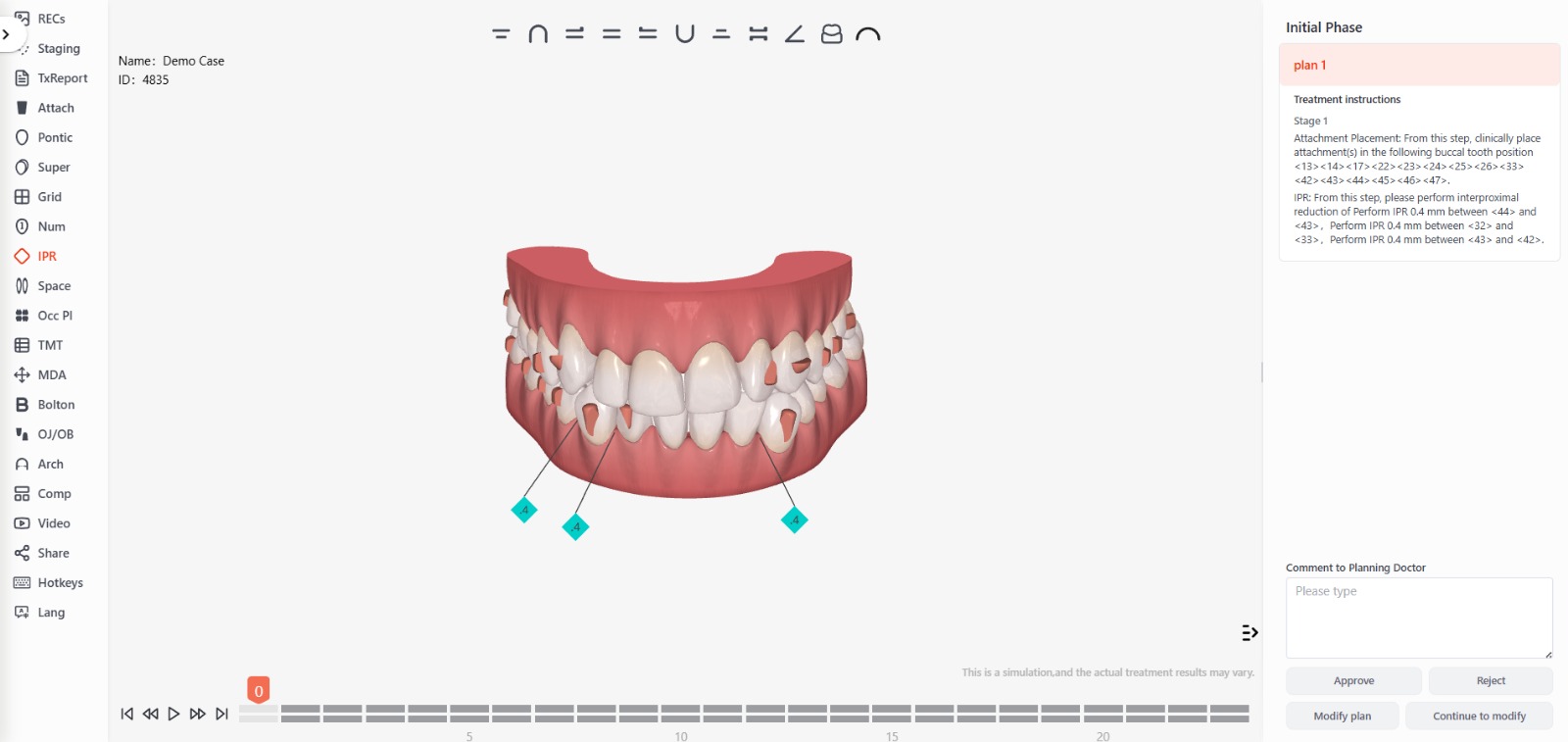
You can start using the program right away without having to spend valuable time on extensive training, allowing you to quickly integrate it into your daily routine.
Familiarity with an interface and features similar to those already known reduces the likelihood of errors during treatment design and planning, ensuring greater precision in the results
With software that is intuitive to use right from the start, you can work more efficiently, optimizing the time the orthodontist and his or her team spend designing aligners.
Its ease of use and similarity to other programs users are already familiar with increase comfort and confidence in the software, resulting in a more satisfying and productive experience for both the orthodontist and the patients.
Comprehensive Review
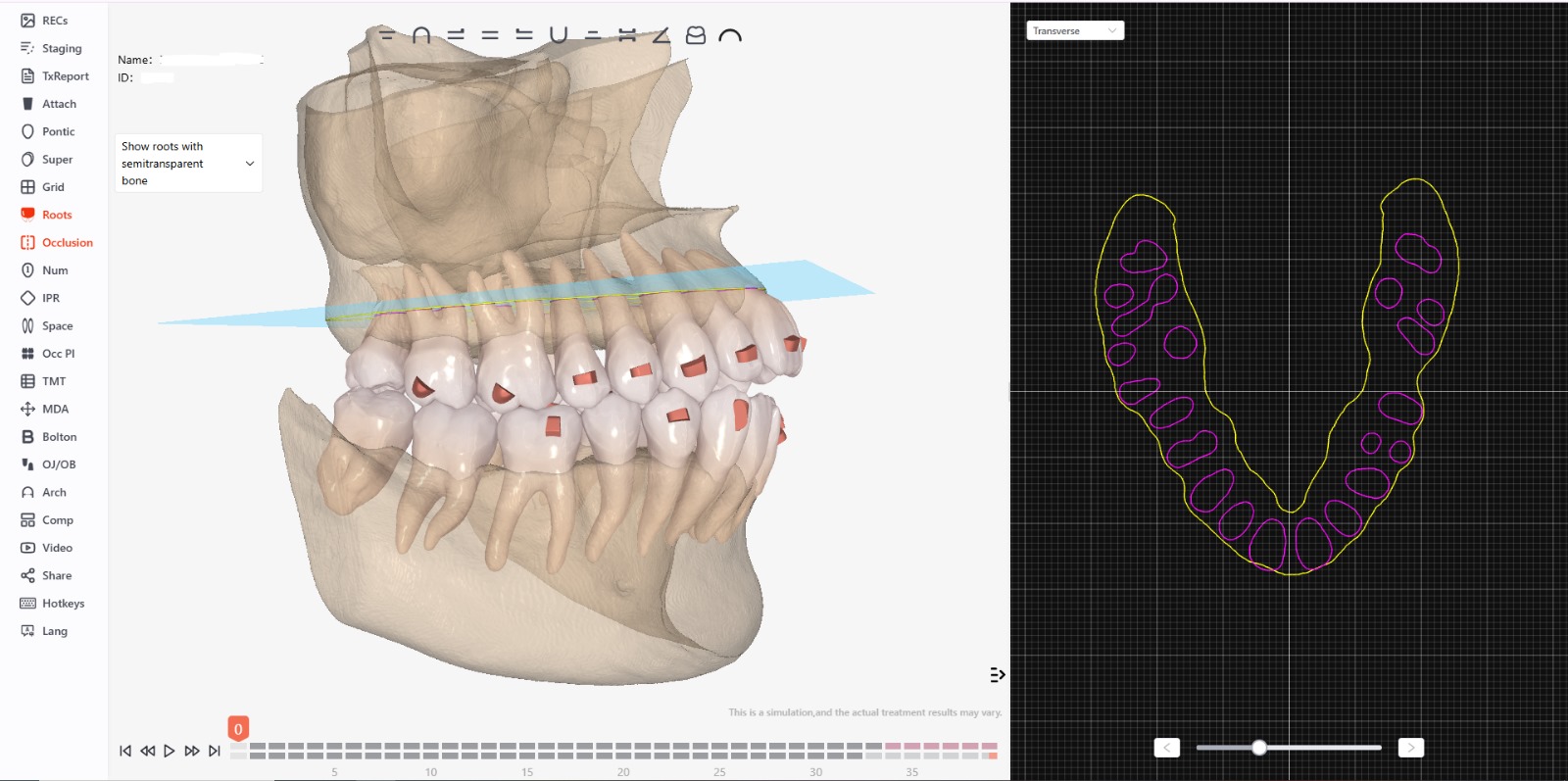
By integrating orthodontic treatment planning with the patient’s images and X-rays, we obtain a complete and accurate picture of the patient’s dental condition. This allows for better evaluation and treatment planning, ensuring that every tooth movement is based on precise anatomical data.
The ability to compare the design with actual images of the patient makes it easier to identify potential complications or the need for additional adjustments. This allows the treatment plan to be adjusted in real time, improving its effectiveness and efficiency.
Showing the patient the orthodontic treatment plan alongside their own images can help explain the treatment plan more clearly and comprehensively. This can increase the patient’s confidence and understanding of the process, which is essential for cooperation and treatment success.
Having all the images and the treatment plan on a single platform makes it easier to track treatment progress. You can easily compare the current status with the initial plan and make adjustments as needed, ensuring that the treatment proceeds as planned.
Every patient has a unique dental structure. By using software that allows for the simultaneous display of the treatment plan and the patient’s images, treatment can be customized in greater detail and with greater precision, tailoring each aligner to the patient’s individual needs.
Every patient has a unique dental structure. By using software that allows for the simultaneous display of the treatment plan and the patient’s images, treatment can be customized in greater detail and with greater precision, tailoring each aligner to the patient’s individual needs.
- With an integrated visualization feature, the risk of errors in treatment design and implementation is minimized. Simultaneous comparison makes it possible to detect and correct any discrepancies before they become a problem.
Analysis of Occlusal Points
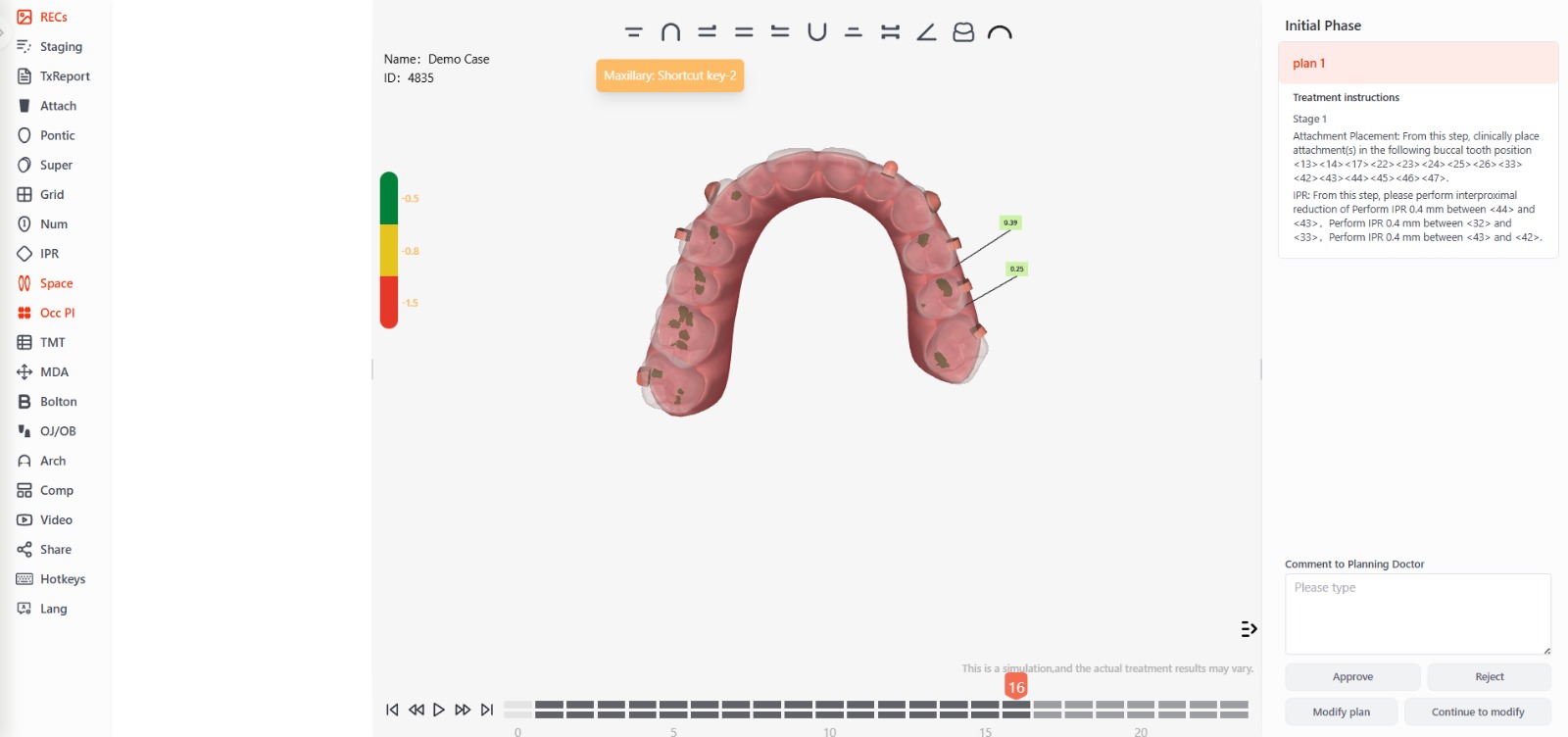
It allows for precise adjustment of how the teeth fit together, improving bite function.
It enables quick and precise adjustments to the design, reducing the need for subsequent corrections.
It facilitates more detailed and personalized planning by identifying and correcting occlusion problems before treatment begins.
It contributes to a more functional and comfortable bite, improving the quality of the final result.
It helps explain how the treatment will affect the patient’s bite, thereby improving the patient’s understanding and cooperation.
It allows you to monitor how the occlusion changes over the course of treatment.
It allows for the identification and correction of occlusal misalignments before the devices are manufactured.
Evaluation of Planned Movements
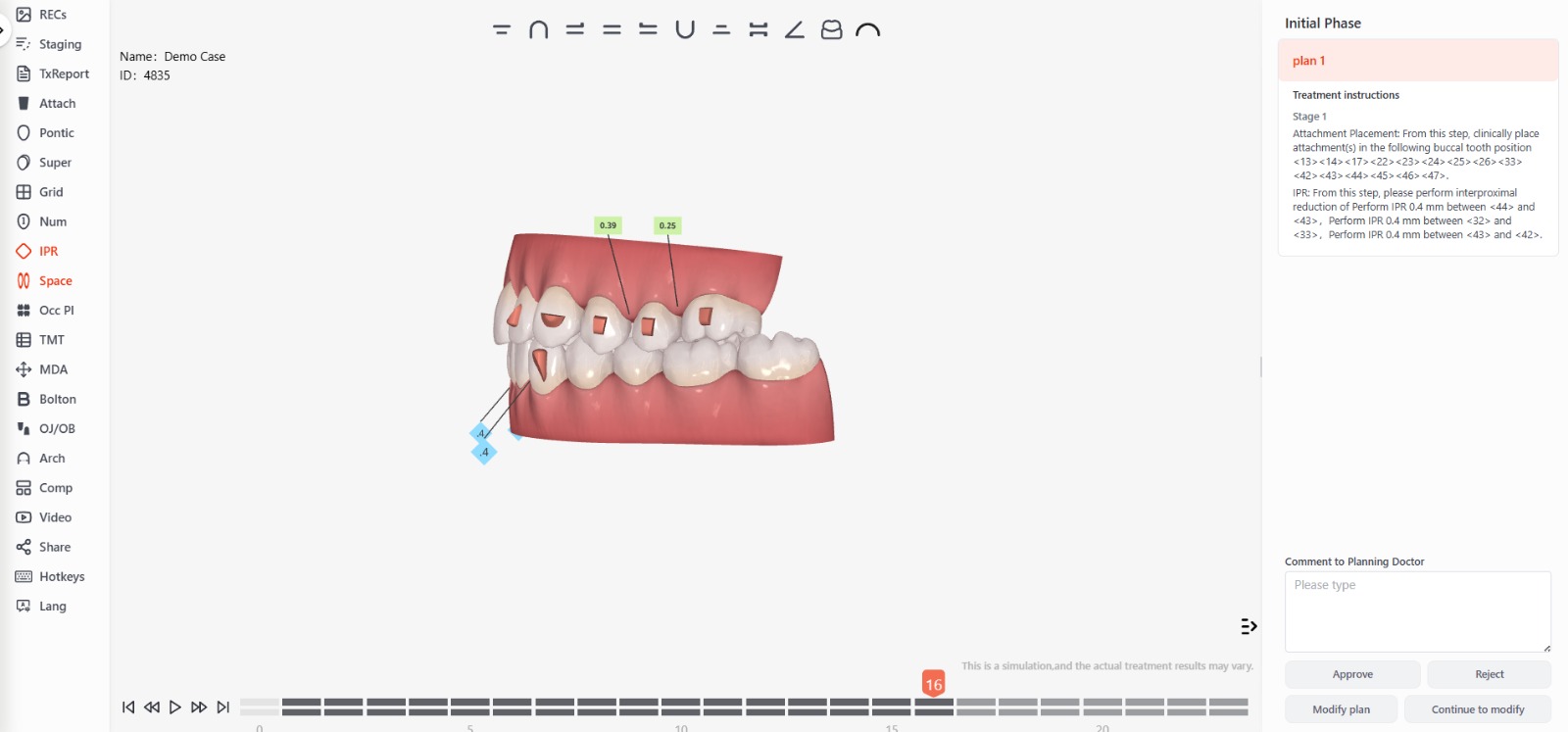
It allows for a direct comparison of the initial and final positions, making it easier to assess treatment progress.
Familiarity with an interface and features similar to those already known reduces the likelihood of errors during treatment design and planning, ensuring greater precision in the results
It allows you to adjust and refine the treatment strategy to achieve more accurate results.
It minimizes errors in design and implementation by providing a clear picture of expected progress.
It facilitates the early detection of discrepancies and potential problems, allowing for timely adjustments.
It helps clearly explain the treatment and manage patient expectations through effective visual aids.
It facilitates monitoring of treatment progress and adjustments based on the planned final position.
Critical Parameters: Bolton
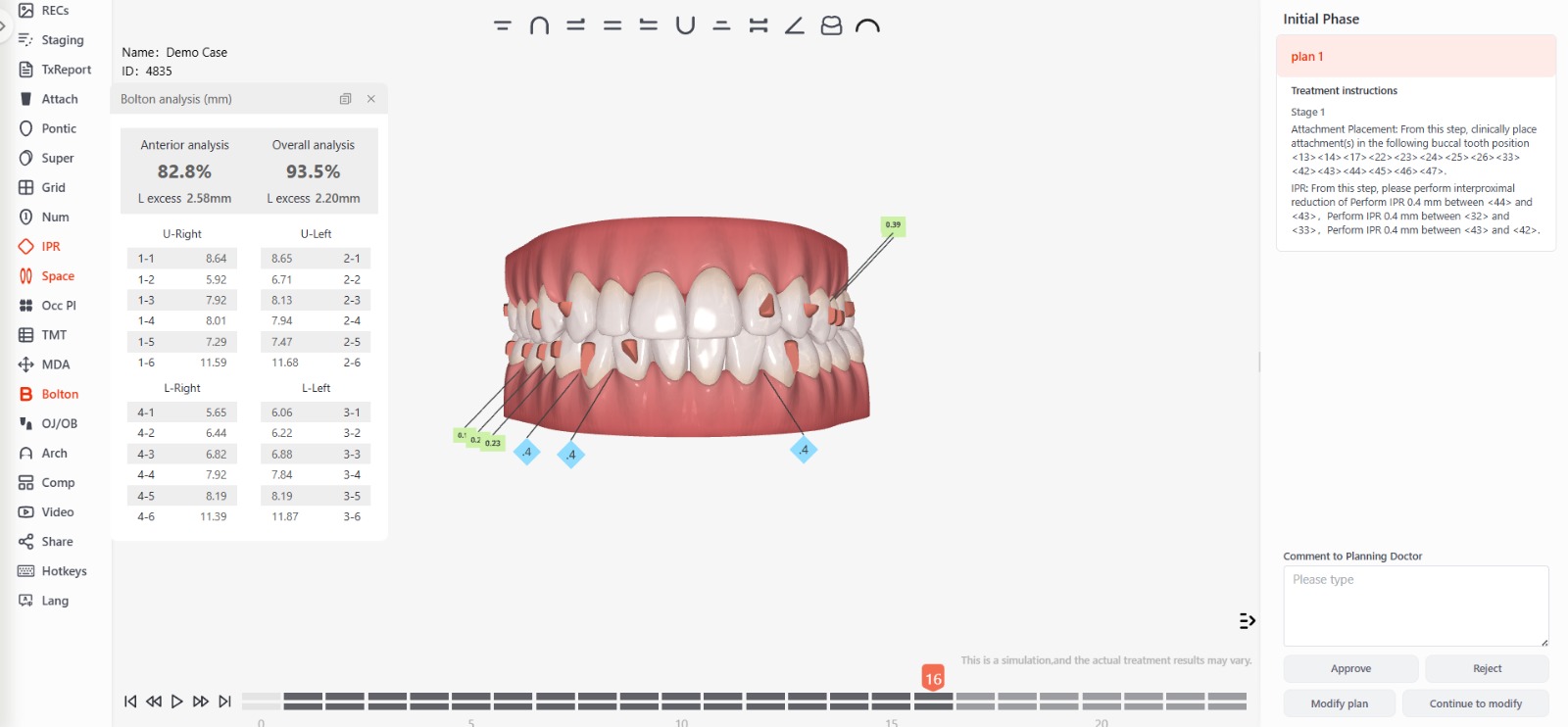
It allows for the identification of discrepancies in tooth size between the maxilla and the mandible, facilitating proper occlusal balance.
It helps design personalized treatment plans, ensuring that the teeth are properly aligned at the end of treatment.
It facilitates space management planning, preventing problems such as crowding or excessive spacing between teeth.
It helps achieve proper functional and aesthetic occlusion, improving the patient’s ability to chew and their appearance.
Critical Parameters: Arch
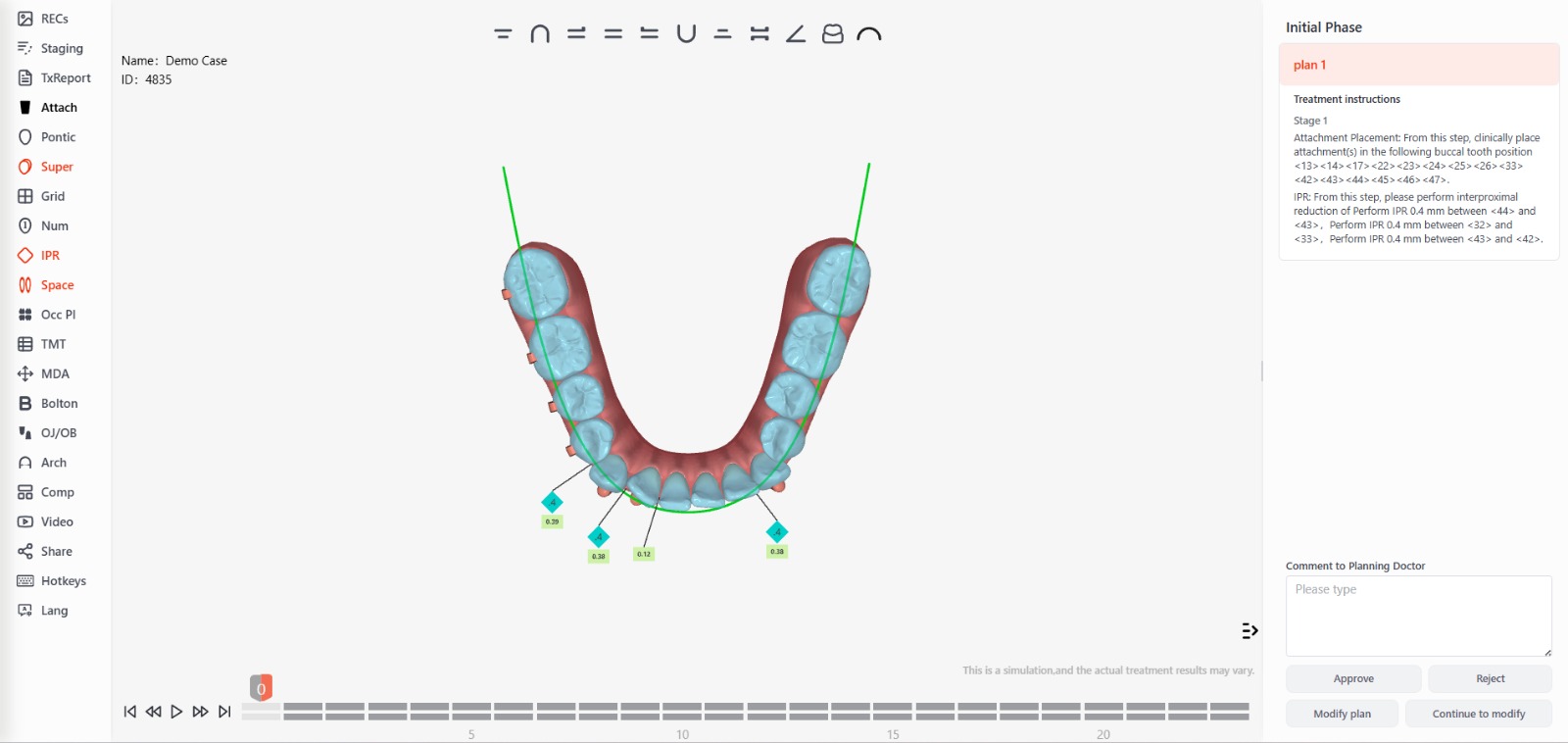
It provides a detailed view of the shape of the dental arch, allowing for precise adjustments during treatment.
It helps plan the alignment of the teeth within the arch, ensuring an even and aesthetically pleasing distribution.
It makes it easier to predict the tooth movements needed to achieve the desired arch form, thereby improving treatment effectiveness.
It allows the treatment to be tailored to the individual characteristics of the patient’s dental arch, optimizing results and patient satisfaction.
Exclusive Feature: Overjet/Overbite Button
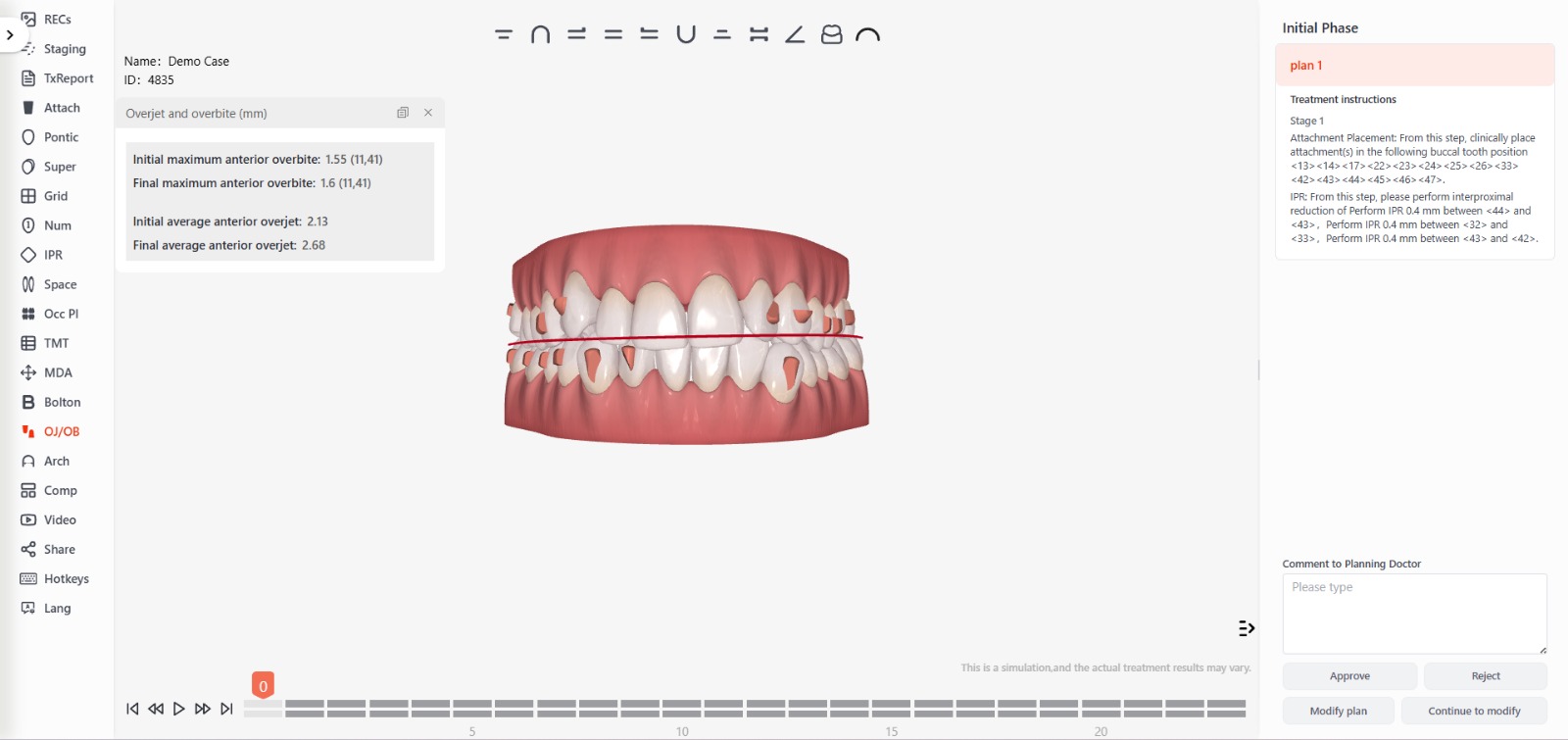
It allows for a detailed and accurate assessment of the overjet (the horizontal projection of the upper front teeth over the lower ones) and overbite (the vertical overlap of the upper front teeth over the lower ones), facilitating an accurate diagnosis.
It helps plan treatment more efficiently by ensuring that the aligners are designed to correct these specific discrepancies.
It allows you to monitor treatment progress in real time, making any necessary adjustments to ensure that the goals for correcting the overjet and overbite are being met.
It makes it easier to achieve more predictable and satisfactory results, improving both chewing function and dental aesthetics.
Customization of Attachments
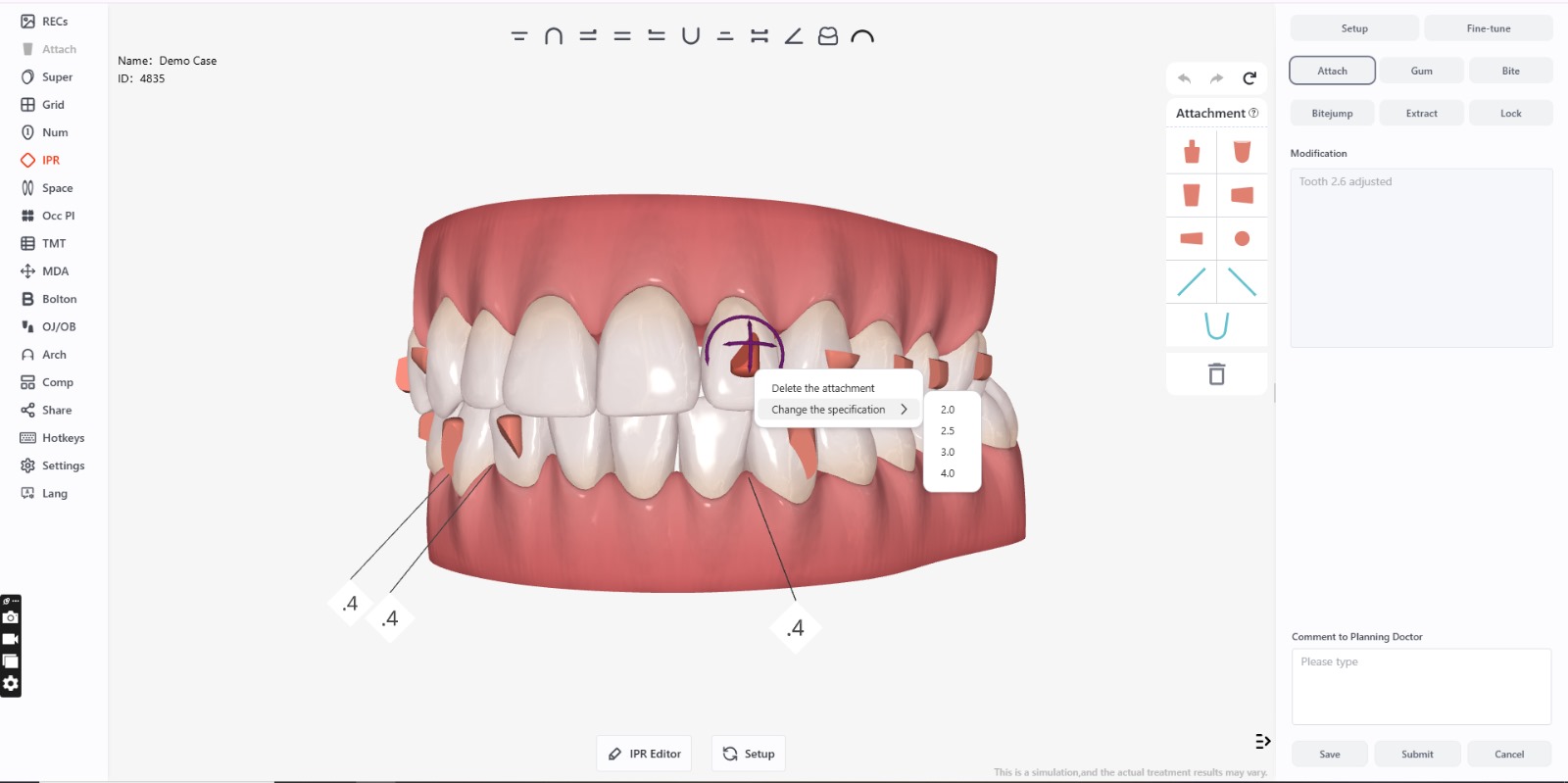
Elastic Bands Visualization
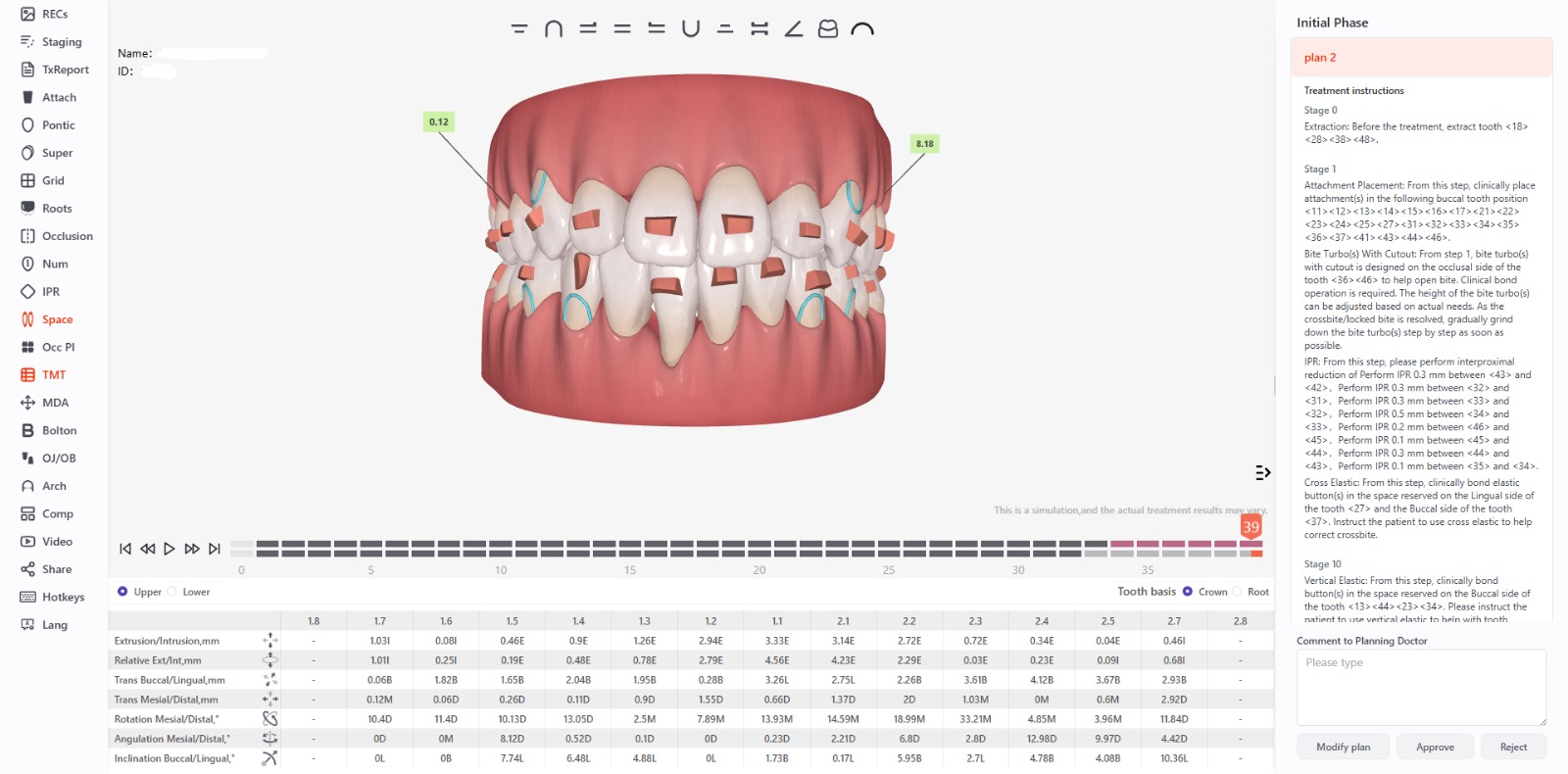
- Treatment Plan: Helps predict how elastics will affect tooth movement and the overall biomechanics of the case.
- Planning Validation: This allows you to verify whether the use of elastic bands is effective in achieving the treatment goals.
- Communication with the patient: Displaying the elastics in the simulation helps explain to the patient the importance of using them and their impact on the final results.
- Resource optimization: It helps the orthodontist determine the most appropriate anchor points and type of elastics without the need for repeated trials.
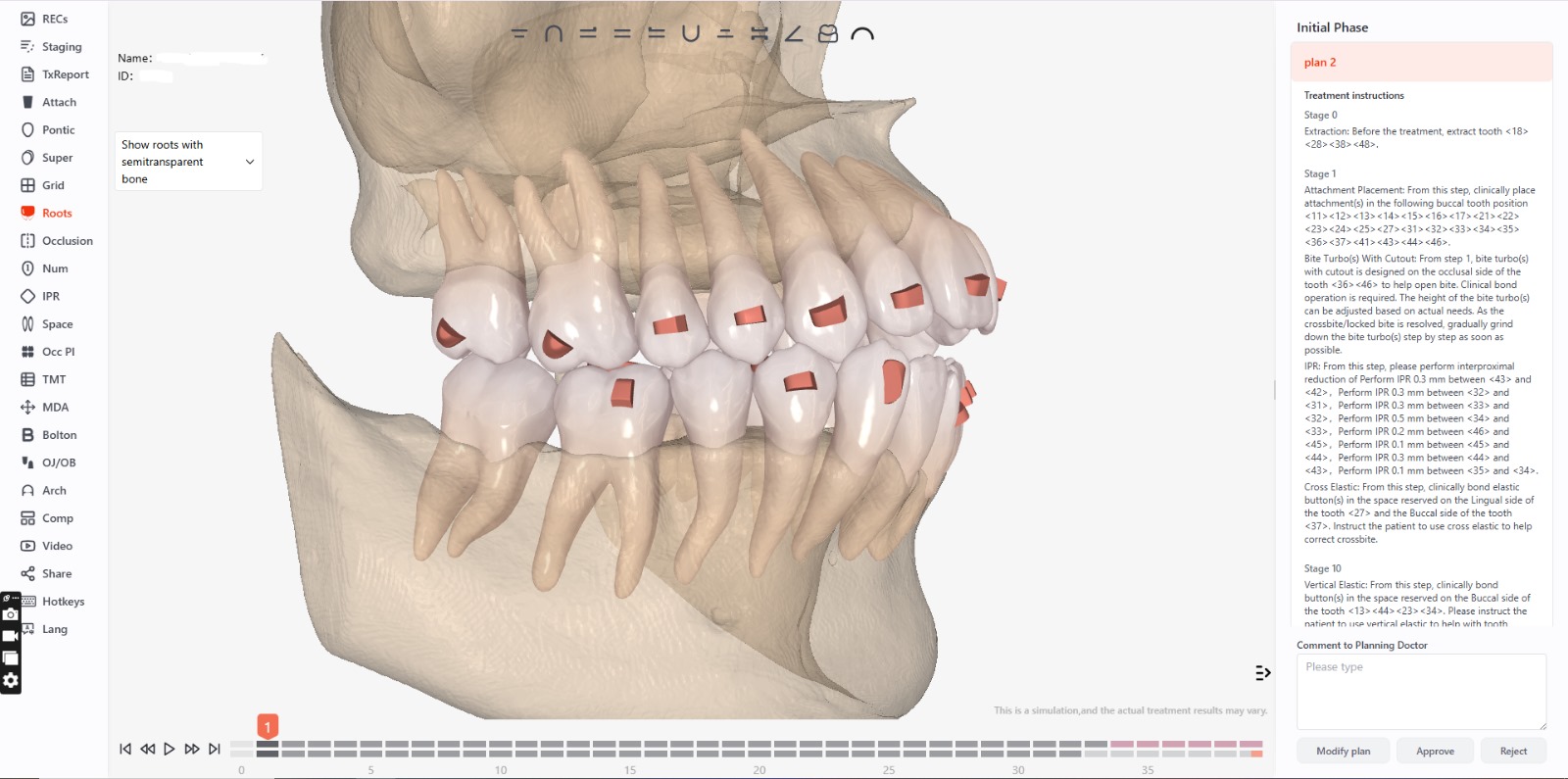
CBCT
Cephalometric Analysis
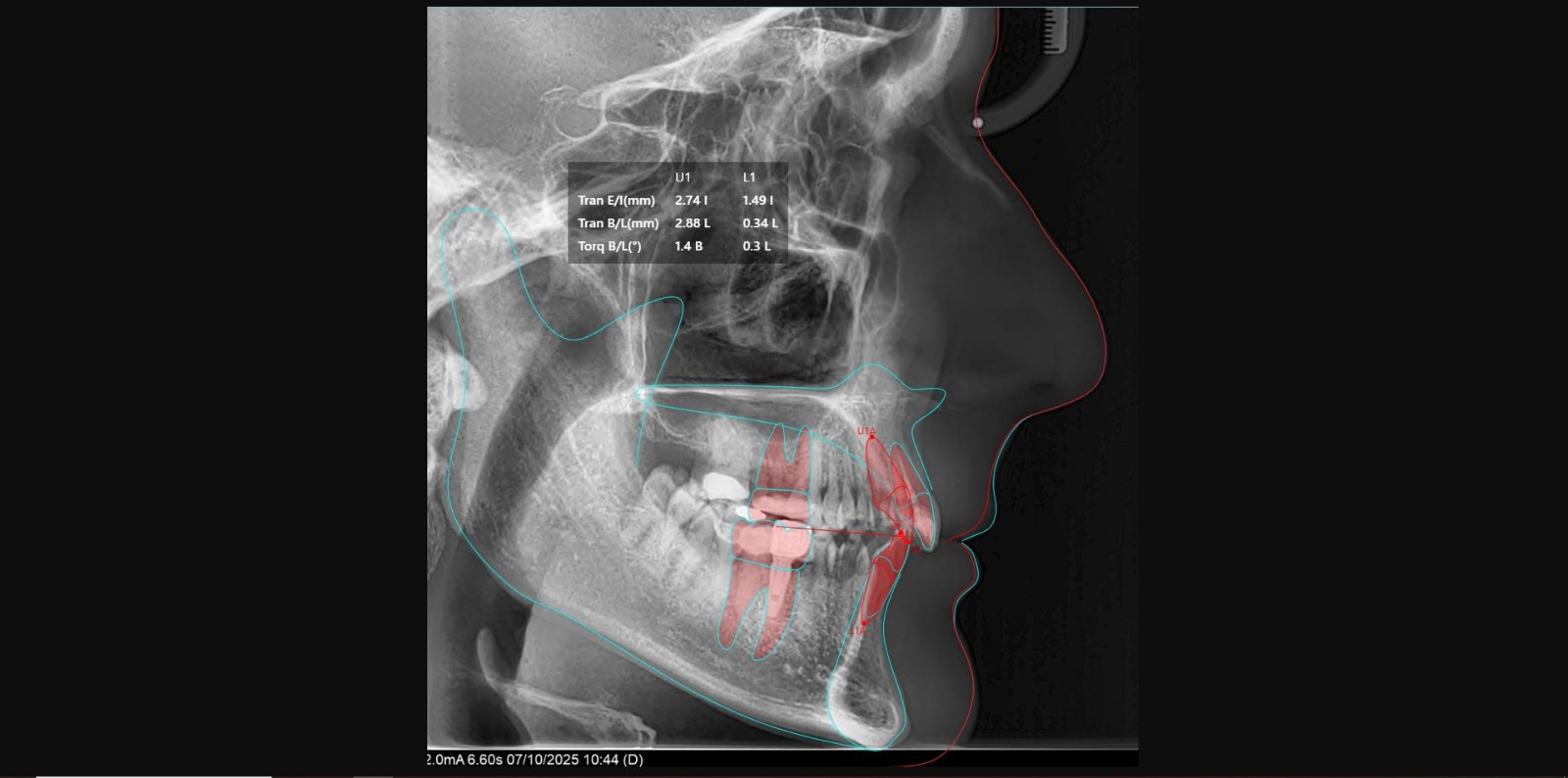
It provides an accurate assessment of the relationship and position of the teeth, bones, and soft tissues.
It helps identify skeletal and dental abnormalities, facilitating a detailed diagnosis.
It allows you to anticipate facial and structural changes throughout the course of treatment.
It optimizes treatment planning and monitoring, improving the final results.
Movement Limits
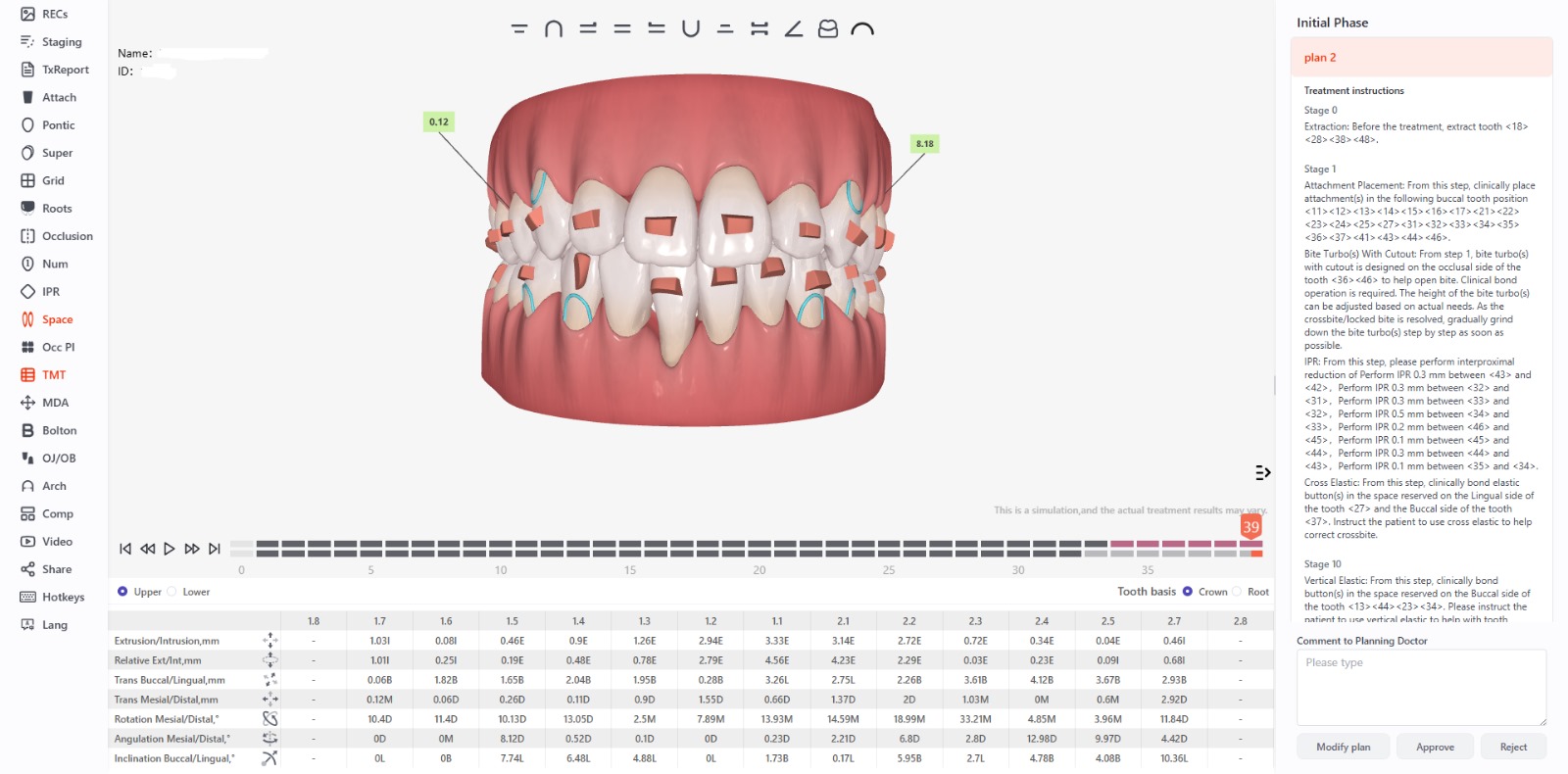
They are designed to ensure that the forces applied are safe and effective for the teeth and surrounding tissues.
They are used for:
- Patient Safety: Avoid excessive or rapid movements that could cause damage to the tooth roots, bone, or periodontal tissues.
- Clinical realism: Simulate movements within acceptable ranges based on the patient’s physiology and clinical experience.
- Treatment Optimization: Allow for adjustments that maximize treatment efficiency without compromising its success.
- Error prevention: Help identify setups that could be biomechanically unfeasible or counterproductive.
- It allows the orthodontist to anticipate the complexity of the necessary tooth movements and to plan the treatment appropriately, as well as to assess the possible need for auxiliary devices.
It helps identify movements that could be difficult or risky, reducing the likelihood of causing damage to the teeth or bone structures.
It facilitates communication with the patient about the time, effort, and potential challenges involved in treatment, setting realistic expectations.
Total Dental Movement
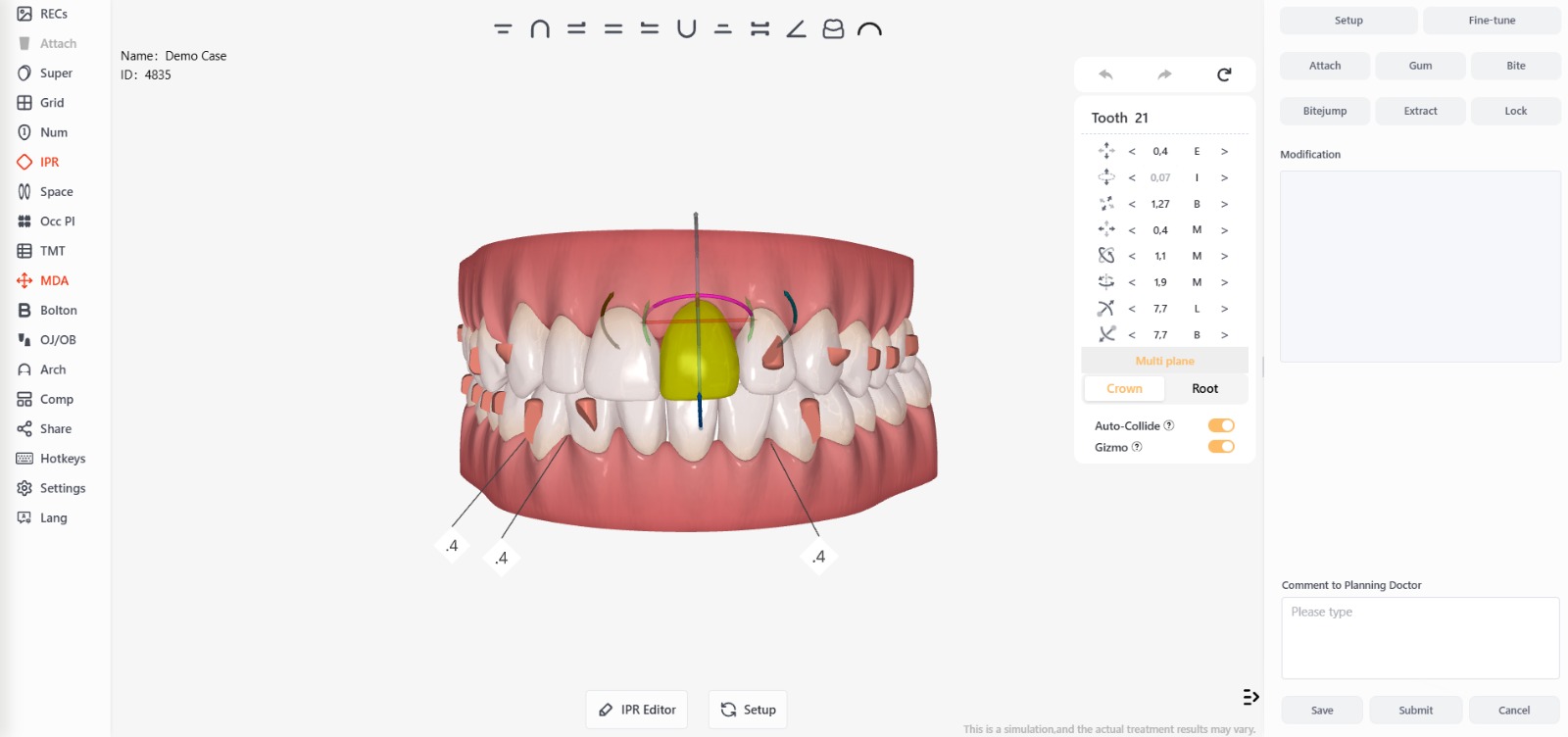
A tooth movement chart that provides a detailed visualization of how each tooth will move throughout the treatment process.
Each tooth in the diagram is clickable; when you select a tooth, you can view detailed information about its movement. The tooth turns green once selected, and to deselect it, you can click directly on the attachment.
Treatment Report
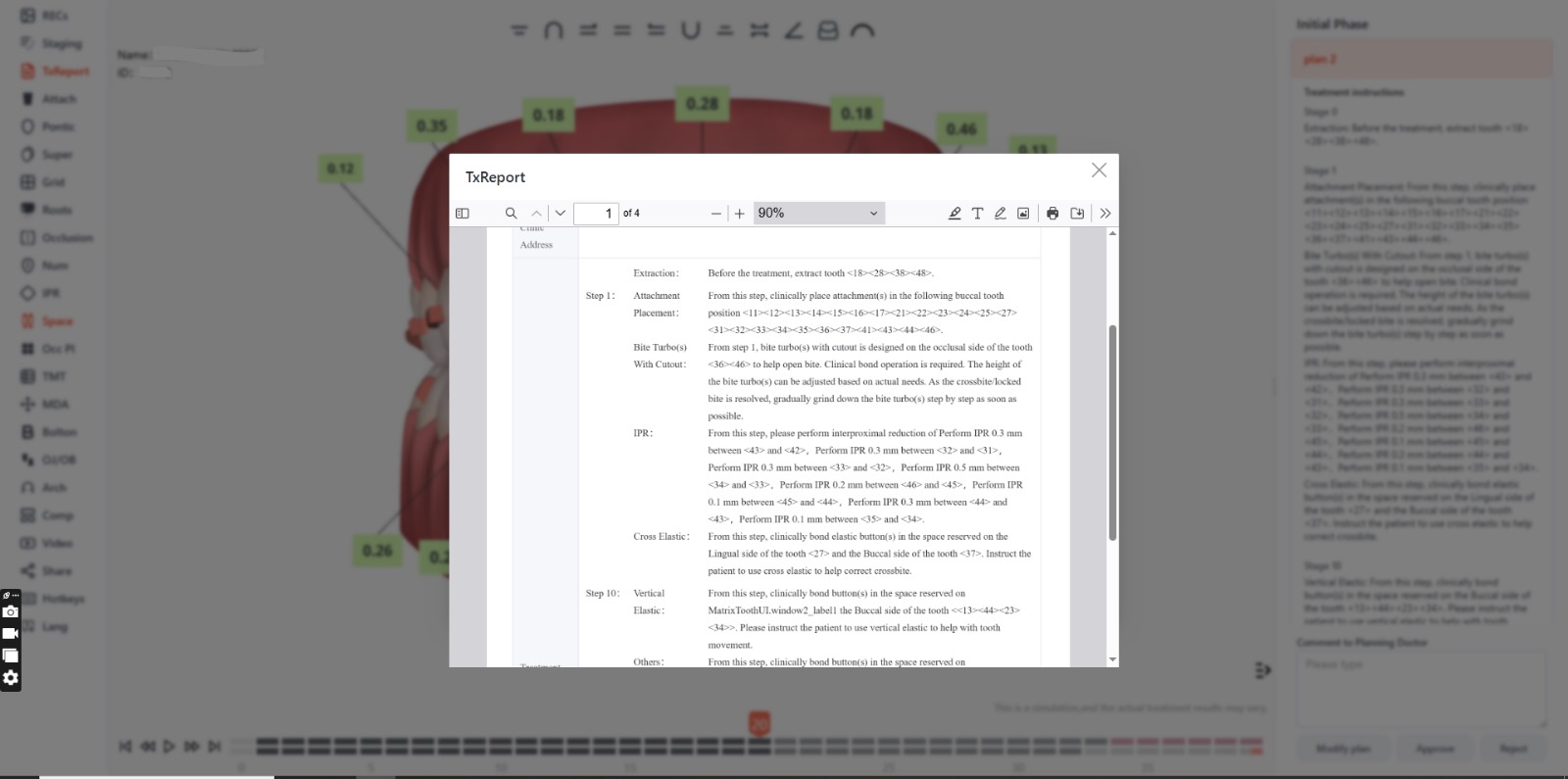
This option opens the detailed document, which provides a comprehensive overview of a patient’s treatment progress and plan. This report is crucial for both dental professionals and patients, as it offers a structured guide to the process and helps ensure that treatment proceeds efficiently and effectively. This document can be downloaded and printed.
Dental Numbering System
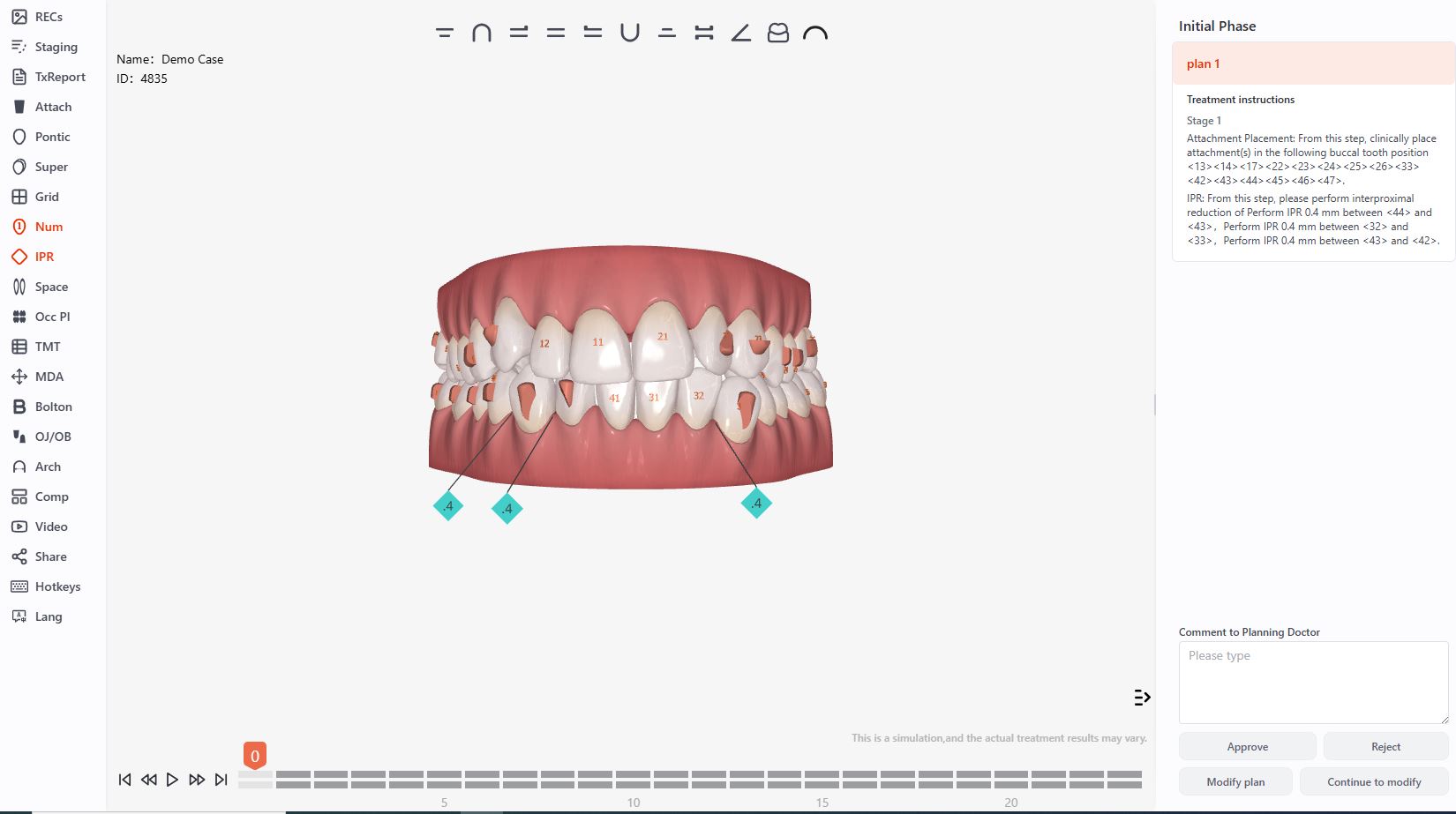
It is used to accurately and consistently identify each tooth within the program interface.
Its importance lies in:
- Clarity in planning: It facilitates the quick identification of each tooth to design specific movements.
- Standardization: Uses recognized systems such as the FDI (International Dental Federation) or the Palmer system, depending on the professional’s or region’s preferences.
- Effective Communication: It enables better collaboration among orthodontists, dental technicians, and other specialists by using a common language.
- Treatment Monitoring: Simplifies tracking of the movements and adjustments required during the different phases of treatment.
- Customization: Associate each number with specific tooth characteristics (size, shape, position) for a more accurate simulation.
Space
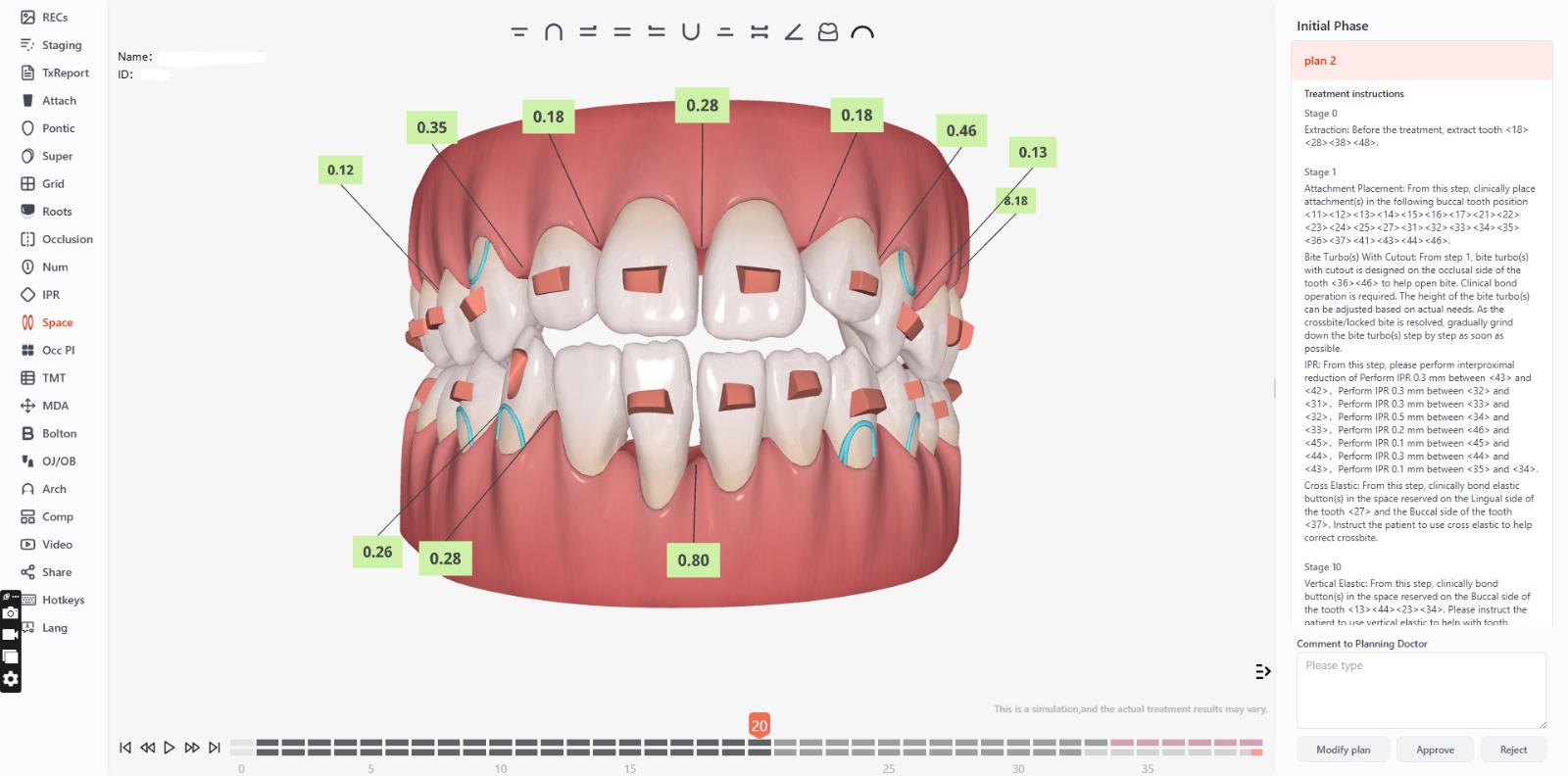
This option indicates how much space there is between the teeth. If the value is negative (greater than 0.08 mm), then there is a collision and IPR is required. If the value is positive, it means there is sufficient space between the teeth, so IPR is not required.
Clash of the Roots
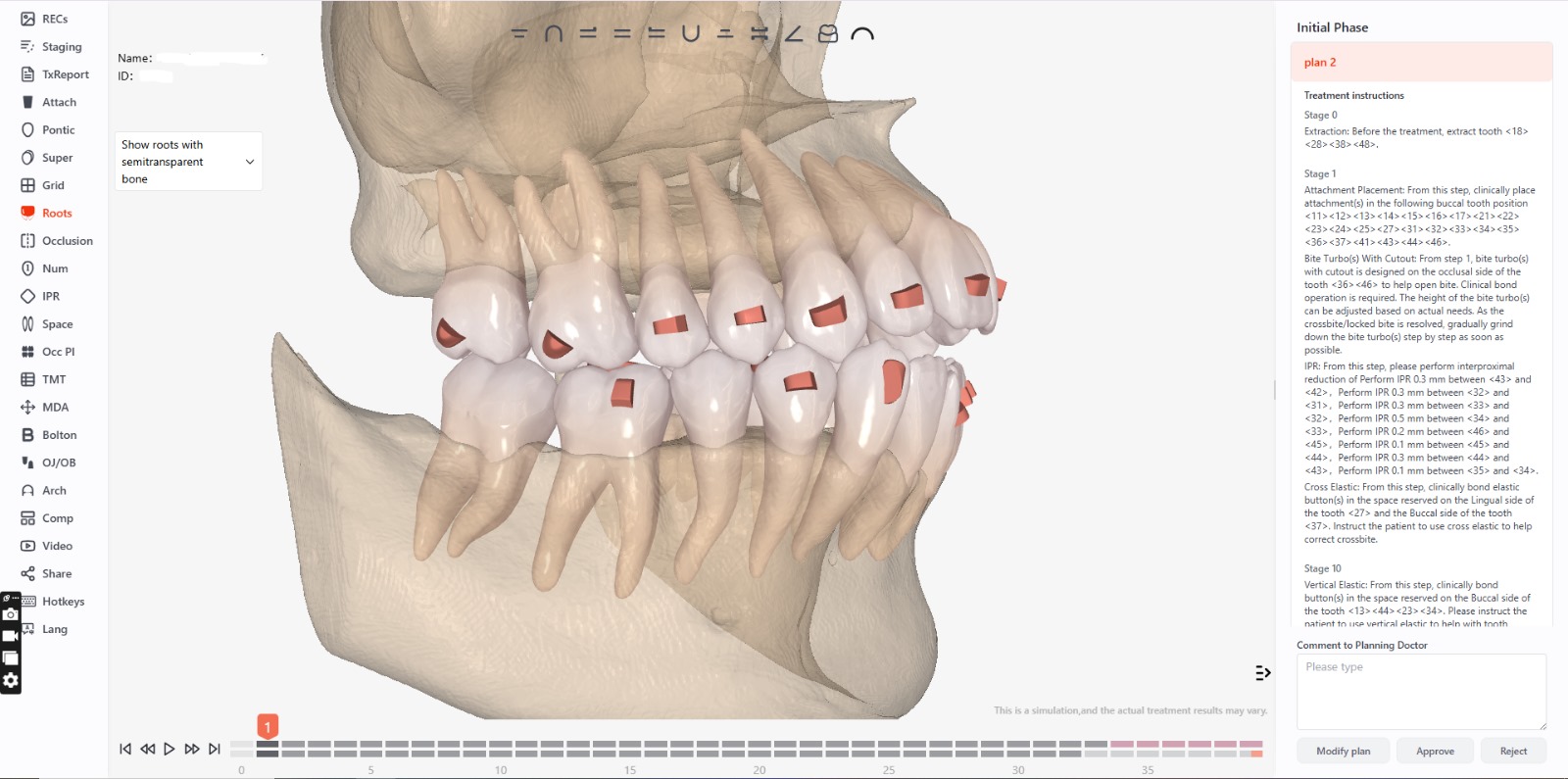
It is an analytical tool that assesses the proximity between tooth roots during treatment planning.
Its features include:
- Damage Prevention: Detects potential collisions between tooth roots that could compromise periodontal health or cause root resorption.
- Precise planning: Helps plan safe and biomechanically viable tooth movements, minimizing the risk of root-to-root interference.
- Space Optimization: Identifies the need for expansions, removals, or adjustments to avoid conflicts in planned movements.
- Treatment Safety: Ensures that movements are not only effective but also safe for the surrounding structures.
- Clear Visualization: Provides visual alerts or specific reports on critical areas, improving the orthodontist’s decision-making.


